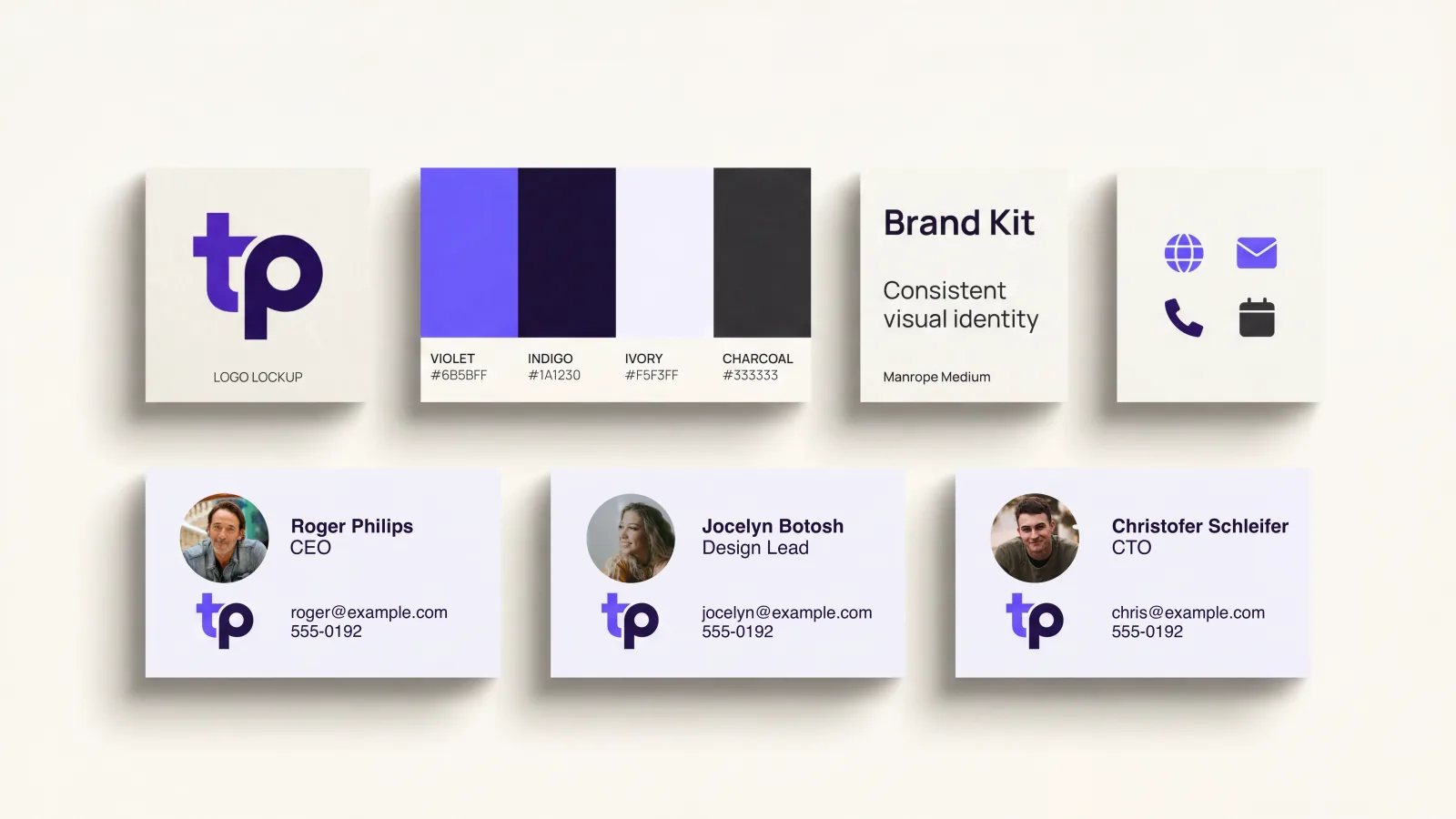
If you ask a random member of your customer-facing team to show you their business card, their email signature, and their LinkedIn profile, the gap between “what marketing intended” and “what is actually deployed” tends to be larger than anyone expects. Logos that are last year’s version. Colors that are close-but-not-quite the official palette. Headshots from different decades. Phone numbers in three different formats. Some reps using bold weight for their name; some using regular.
This is not anyone’s fault. It is a structural problem. In the absence of a clear brand kit and a clear distribution mechanism, individual employees fall back on whatever they made themselves the last time they thought about it. The result is a brand that fragments invisibly, one touchpoint at a time.
A well-built brand kit fixes this. Done well, it is invisible: every employee’s touchpoints look like they belong to one company, every refresh propagates cleanly, and the brand compounds in credibility rather than entropy. Done poorly, it is a 100-page PDF that no one reads and that quietly fails to influence what employees actually ship.
This guide is about the practical version: a brand kit small enough to be remembered, structured enough to be deployed, and durable enough to survive a real organization. It is written specifically for the kit that will live on every team member’s digital business card and the touchpoints that radiate out from it.
Why Brand Consistency Actually Matters
The case for brand consistency is often presented in vague aesthetic terms. The actual evidence is concrete.
The widely-cited brand consistency research from Lucidpress (now Marq) reports that organizations with strong brand consistency see a meaningful revenue lift—commonly cited around 20%—compared to organizations with inconsistent brand presentation. The mechanism is straightforward: buyers form credibility judgments rapidly, and visual coherence is one of the cheapest, most reliable signals of organizational seriousness.
B2B buyer surveys consistently echo this: a clear majority of buyers say inconsistent brand presentation negatively affects their perception of a vendor, even when the underlying product is excellent. Inconsistency reads as inattention. Inattention reads as risk.
The Edelman Trust Barometer consistently identifies professionalism cues—visual polish, message consistency, evident attention to detail—as among the top trust drivers in B2B contexts. None of these is about the product itself. All of them are about whether the buyer perceives the vendor as competent enough to be entrusted with the work.
For customer-facing employees, business cards and their digital extensions are some of the highest-frequency touchpoints with prospects. Getting the brand right on these touchpoints has outsized leverage relative to the cost of doing so.
What a Brand Kit Actually Contains
A practical brand kit for team business cards has six components. Not seven. Not twenty. Six. The temptation to over-elaborate is the single biggest reason kits fail to be used.
1. Logo
The logo lockup, in three forms.
- Primary lockup. The full version with both wordmark and symbol, used wherever there is space. This is the version that appears on most business cards.
- Symbol-only. Used where space is constrained: avatars, favicons, very small contexts. Same proportions every time.
- Single-color version. A version that works on a black background, a white background, and any tinted background where the full-color version would clash. This is the version used on signatures, presentations, and any context with limited color control.
All three should exist as both raster (PNG) and vector (SVG). The single most important rule: no rasterization at small sizes. A pixelated logo on a digital business card immediately reads as amateur, even when nothing else is wrong with the card.
2. Color Palette
A practical palette has 5 to 7 colors, not more.
- One primary brand color—the color a person would use to describe your brand in one word. Specified in HEX, RGB, and HSL. Specified for both screen (sRGB) and print (CMYK or Pantone equivalent).
- One secondary brand color that complements the primary. Used for supporting elements, hover states, accent details.
- Two or three neutrals—a near-black for primary text, a mid-gray for secondary text, an off-white or near-white for backgrounds.
- One semantic accent—a color reserved for status indicators (success, warning, error) when the brand context calls for them.
Resist the urge to specify more. Every additional color is a decision point that future contributors have to make, and each unnecessary decision is an opportunity for drift. The brands with the strongest visual coherence tend to use embarrassingly small palettes, deployed with discipline.
3. Typography
One display font, one body font, and a clear hierarchy.
- Display. Used for names, section headers, prominent calls to action. Distinctive enough to feel branded but not so unusual that it fails to load on every device. A web-safe alternative (system font fallback) should always be specified.
- Body. Used for everything else. Optimized for legibility at small sizes. Same fallback rule applies.
- Hierarchy. A specified set of sizes and weights for primary headers, secondary headers, body text, and captions. The hierarchy is what allows non-designers to lay out content correctly without having to make typographic decisions.
For digital business cards specifically, the most important rule is that the chosen fonts must render acceptably on every recipient’s device, including older Android handsets and iPhones in low-bandwidth conditions. A beautiful custom font that renders inconsistently across devices is worse than a less distinctive font that renders identically everywhere.
4. Photography Standards
Headshots are the most commonly broken element of team brand kits, because they are deeply personal and individuals resist standardization. The remedy is a small set of binding rules and a much larger set of guidelines.
Binding rules:
- Plain or simple background. No competing visual elements.
- Shoulders visible. No half-faces, no extreme close-ups.
- Recent. Headshots over four years old should be retaken.
- Consistent format. Square or 4:5 portrait, never landscape.
Guidelines (recommended but not required):
- Studio or natural light, not direct overhead light or harsh shadows.
- Smile or relaxed expression, not over-styled or frozen.
- Professional but not corporate-stiff. The intent is “person you would want to work with,” not “person photographed against their will.”
The single most leveraged investment most companies can make in their brand kit is a one-day photoshoot with the entire customer-facing team, producing consistent headshots that the team will use for years. The cost is modest. The visible effect on every digital touchpoint is enormous.
5. Layout System
A small set of approved layouts for the digital business card itself: the order of fields, the relationship between photo and name, the placement of contact buttons, the location of the logo. The layout system is what prevents two reps’ cards from looking nothing like each other—and what makes the brand kit deployable through a platform that enforces inheritance rather than relying on individual discipline.
For most teams, two or three layout variants are sufficient: a default for individual contributors, an executive variant for senior leadership, and possibly a customer-facing variant for sales reps that surfaces calendar booking and CTAs more prominently.
6. Voice and Field Conventions
The least-discussed but quietly important part of a brand kit. The conventions that determine how field content is written, not just how it is presented.
- Job title format. “Senior Director of Sales” vs “Sr. Director, Sales” vs “Director of Sales (Senior)”. Pick one and apply it.
- Phone format. +1 415 555 0123 vs (415) 555-0123 vs 415.555.0123. Pick one.
- Bio voice. First person, third person, or no bio at all. If there is a bio, what is the maximum length, what should it cover, what should it avoid?
- Disclaimer language. If your industry requires regulatory disclosures, the exact wording must be specified and unalterable.
These conventions seem trivial individually. Cumulatively, they are what makes a team’s cards look like one company instead of fifty.
How to Build the Kit From Scratch
If your organization does not yet have a coherent brand kit, here is the process that tends to produce a usable result in 4 to 6 weeks.
Step 1: Audit What Exists
Collect every public-facing brand asset currently in use. Logos in different versions, color values from different documents, fonts from different presentations, headshots from different years, signature templates from different teams. The audit usually reveals more variation than leadership expected and is itself the strongest argument for the project.
Step 2: Decide Whether to Codify or Refresh
Two paths. Codify means accepting the existing brand and writing down the version that already works, then enforcing consistency around it. Refresh means using the kit project as an opportunity to update the visual identity, then deploying the new version.
Codification is faster (typically 4 weeks) and less disruptive but locks in whatever inconsistencies already exist in the “official” version. Refresh is slower (typically 8 to 12 weeks with design and approval cycles) but produces a cleaner outcome. The right choice depends on whether the existing brand is fundamentally sound. If the answer is yes, codify. If the answer is no, do not waste a brand kit project on a brand that needs to be refreshed first.
Step 3: Build the Six-Component Kit
Working from either the existing brand or the new one, produce the six components above. Resist the urge to add a seventh. The discipline of constraining the kit is what makes it usable.
Document the kit in two forms: a short reference document (one or two pages) that any employee can scan and apply, and the platform configuration files (logos, color values, fonts, layout templates) that enforce the kit automatically.
Step 4: Apply the Kit to a Reference Card
Build a single, perfect example of a team member’s digital business card using the kit. This is the canonical reference. Every other card should look like a small variation of this one. Sharing the reference card with the team is more useful than sharing the brand documentation by an order of magnitude, because it shows the kit applied rather than described.
Step 5: Get Senior Leadership Cards Updated First
Before rolling out to the broader team, update every senior leader’s card to the new kit. This produces two effects: leadership has personal experience with the system and can speak to it credibly, and the rest of the team sees that this is real and is being done at every level.
Step 6: Roll Out With Defaults, Then Enforce
For the broader team, the rollout works best when employees do not have to do anything to get the new kit. The platform applies the brand by default, and the employee just edits their personal fields (bio, photo, contact details) within the constraints the kit allows. The fewer decisions any individual employee has to make, the higher adoption goes.
Field-level lock controls—the ability to specify which fields the employee can edit, which are read-only, and which require admin approval to change—are what makes this enforcement durable. Lynqu’s team management layer supports this directly: an admin sets the brand kit, defines which fields are organization-controlled vs employee-controlled, and the system enforces the rules without requiring individual coordination. (For the broader case for centralizing this work, see how to manage business cards across a whole team.)
Governance: Keeping the Kit Alive
A brand kit is not a one-time deliverable. It is a system that needs ongoing maintenance. The teams that get this right tend to have a few habits.
One Owner, Not a Committee
Brand kits die when responsibility is diffuse. There should be one person—usually a senior marketing or brand role—who owns the kit, approves changes, and is the single point of contact for any team member who needs an exception. Committees produce inconsistency over time because no one feels personally responsible for coherence.
A Lightweight Change Process
Brands evolve. New colors get added; new layouts get tested. The process for changing the kit should be lightweight enough to actually use. A simple proposal-review-approve flow with the brand owner and one or two stakeholders, completing within a week, is a thousand times more useful than an elaborate approval process that no one ever invokes.
Quarterly Brand Audits
Once a quarter, the brand owner pulls a sample of 20 team members’ cards and signatures and audits them against the kit. Drift happens. New hires accidentally bypass the system. Old assets resurface. Catching it early prevents it from becoming entrenched.
Onboarding Hooks
Every new hire’s first-week onboarding should include a 15-minute session on the brand kit and digital card setup. The platform should generate their card with the kit pre-applied; the session is just confirming that the new hire understands how to operate within it.
Common Mistakes
The patterns that reliably make brand kit projects fail.
Producing a 100-Page PDF No One Reads
The most common form of brand kit—a beautifully designed PDF document that lists every possible specification—is also the form that least often gets used. Employees do not read documentation. They look for examples and copy them. A two-page reference, a canonical example, and an enforced template do more than the most thorough PDF.
Overspecifying Voice
Brand voice guides full of adjectives (“confident but not arrogant, friendly but not casual, modern but not trendy”) tend to produce no behavioral change at all because they cannot be applied to a real decision. Specific conventions about job titles, phone formats, and bio length produce more change than 50 pages of voice prose.
Skipping Headshots
Headshots are the most visible inconsistency on team cards. Skipping them in the kit because they are “too personal” means the entire visual standard collapses on the most prominent element. The remedy is the binding-rules-plus-guidelines approach above and the periodic team photoshoot.
Failing to Distribute
A brand kit that lives on a SharePoint folder no one knows about does nothing. The kit must be distributed in three forms: documentation, configured into the digital business card platform, and visible on every leader’s own card. Without all three, drift wins.
Refreshing Without a Migration Plan
Companies that update their brand without a plan for how the new version reaches every existing touchpoint end up in the worst of both worlds: half the team using the new brand, half using the old, no one able to tell which is current. Any brand refresh should be paired with a deployment plan covering the digital card platform, email signatures, social profiles, presentations, and external assets.
The Brand Kit Maturity Levels
For self-assessment, here is a rough maturity model.
Level 1: Ad hoc. Each employee makes their own choices. Brand inconsistency is the norm. No central documentation exists or, if it does, no one references it.
Level 2: Documented. A brand kit exists in document form. A subset of employees is aware of it. Adoption is voluntary and uneven.
Level 3: Distributed. The brand kit is configured into the platforms employees actually use. Most touchpoints inherit it automatically. Edge cases and overrides are still manual.
Level 4: Enforced. Field-level lock controls and approval workflows prevent drift. New hires inherit the kit by default. Quarterly audits catch and correct any drift.
Level 5: Adaptive. The kit evolves through a managed process. Updates propagate cleanly across all platforms. Brand consistency is treated as a measurable outcome, not an aspiration.
Most growing organizations are at Level 1 or 2. Reaching Level 4 typically takes one focused quarter and produces durable returns. Reaching Level 5 takes ongoing investment but is what the most polished brands run on.
The Compounding Effect
A brand kit for your team’s business cards is not a vanity project. It is the small set of decisions that determine whether every prospect meets one company or 50 individuals. The kit itself should be small, opinionated, and easy to apply. The system that enforces it should be as automatic as possible.
The companies that get this right tend to look more polished than their actual size would suggest. The companies that get it wrong tend to have a vague sense that something is off about how they appear to customers, without being able to point to a specific cause. The cause is usually a missing brand kit, or one that exists in form but not in distribution.
Start with the six components, distribute through a platform that supports inheritance and enforcement, and govern lightly but consistently. The compounding effect on perceived professionalism is one of the most underrated competitive advantages a growing organization can build.