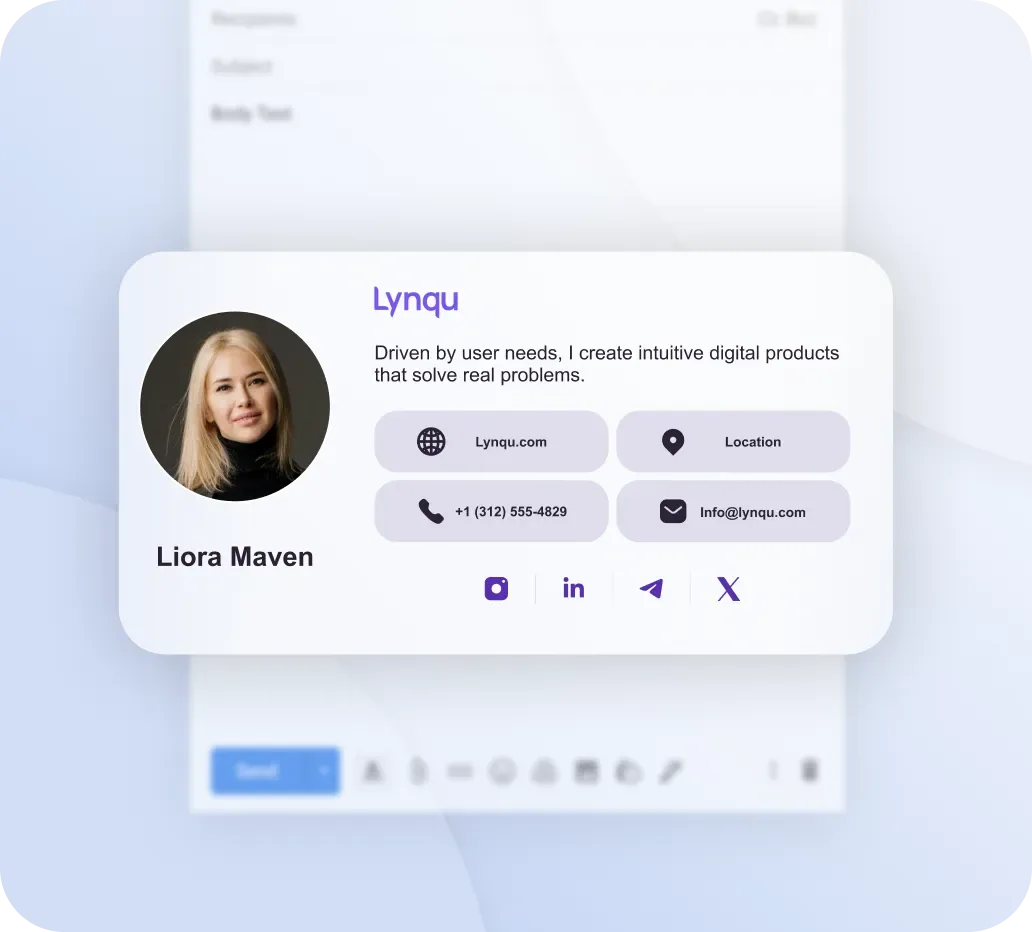
Transform Your Email Signature into a Marketing Asset
Every email you send is a marketing opportunity hiding in plain sight. While businesses pour budgets into social media ads, search engine optimization, and content marketing, one of the most powerful channels sits at the bottom of every message your team sends: the email signature. Far from being a simple sign-off with your name and phone number, a well-crafted email signature is a dynamic, trackable, and highly effective marketing asset that reaches your most engaged audience — people already in conversation with you.
In this comprehensive guide, we will explore how to transform your email signature from an afterthought into a strategic marketing tool, backed by real data, proven design principles, and actionable steps you can implement today.
The Numbers Behind Email Signatures
Before diving into strategy, let us ground the conversation in data. The average office worker sends approximately 40 emails per day. Over a standard working year of around 200 days, that adds up to roughly 8,000 emails per person. Now scale that across an organization. A team of just 50 employees generates approximately 400,000 email signature impressions per year — and every single one of those impressions lands in front of someone who already knows your brand or is actively doing business with you.
These are not cold impressions served to disinterested scrollers. These are warm, contextual touchpoints embedded in professional communication. Research from Sigstr (now Terminus) found that email signature banners achieve a click-through rate of 1% to 3%, depending on the offer and design. Compare that to the average display ad click-through rate of just 0.35%, and the difference is staggering — email signatures outperform traditional display advertising by a factor of three to nearly ten.
Yet despite this enormous potential, a study by Exclaimer revealed that 45% of professionals rarely or never update their email signatures. That means nearly half of all businesses are leaving hundreds of thousands of high-quality impressions on the table every year. The gap between what email signatures could achieve and what most organizations actually do with them represents one of the largest untapped marketing opportunities in professional communication.
The math is simple: if your 50-person team achieves even a 1% click-through rate on 400,000 annual impressions, that is 4,000 clicks to your latest campaign, product page, or digital business card — all at zero additional advertising cost.
What a Modern Email Signature Should Include
Not all email signatures are created equal. The difference between a signature that drives results and one that gets ignored comes down to what you include, what you recommend, and — just as importantly — what you leave out.
Essential Elements
Every professional email signature must include these core components:
- Full name — Your first and last name, clearly displayed as the anchor of your signature.
- Job title — Establishes credibility and helps recipients understand your role in the organization.
- Company name and logo — Reinforces brand recognition with every message. The logo should be crisp, appropriately sized, and link to your website.
- Phone number — A direct line or main office number for recipients who prefer voice communication.
- Email address — While it may seem redundant, including your email ensures it is easily copyable and visible in forwarded threads.
- Lynqu card link — A link to your Lynqu digital business card replaces the need for multiple contact fields and gives recipients a single, always-updated destination for all your professional information.
Recommended Additions
Once the essentials are in place, these recommended elements elevate your signature from functional to strategic:
- Promotional banner — A clickable image sized at 600 x 150 pixels that promotes your latest campaign, event, product launch, or content piece. This is your primary marketing real estate.
- Social media icons — Include 3 to 4 icons maximum, linking to your most active professional platforms. LinkedIn is almost always essential; add others based on where your audience engages.
- Scheduling link — A direct link to your calendar booking tool (such as Calendly or Cal.com) reduces friction for anyone who wants to set up a meeting.
- Legal disclaimer — Depending on your industry and region, a brief confidentiality notice or regulatory disclaimer may be required or strongly recommended.
What to Leave Out
Equally important is knowing what does not belong in a professional email signature:
- Inspirational quotes — While well-intentioned, quotes add visual clutter and rarely align with the professional tone of business correspondence.
- Fax numbers — Unless your industry specifically requires fax communication, this adds unnecessary noise.
- Excessive certifications or credentials — List one or two key certifications if they are directly relevant to your role. A wall of acronyms after your name dilutes their impact.
- Animated GIFs — They increase email size, break in many email clients, trigger spam filters, and undermine professional credibility.
Signature Design Anatomy
Great email signature design follows a predictable anatomy that balances visual appeal with technical reliability across hundreds of email clients and devices.
The Two-Column Layout
The most effective email signatures use a two-column layout. The left column typically contains your photo or company logo, while the right column holds your text information — name, title, contact details, and links. A subtle vertical divider line between the columns creates visual separation without consuming valuable space.
Dimensions and Constraints
Your signature should adhere to these dimensional guidelines:
- Total width: 600 to 650 pixels — This ensures the signature renders correctly in the preview panes of all major email clients, including Outlook, Gmail, and Apple Mail.
- Total height: under 150 pixels (excluding the promotional banner) — A signature that is taller than the email body itself looks disproportionate and unprofessional.
- Banner dimensions: 600 x 150 pixels — Sits below the contact information block and serves as your primary call-to-action space.
Typography and Color
Email signatures must use system fonts only — Arial, Helvetica, Georgia, or Verdana. Custom or web fonts will not render consistently across email clients and can cause your carefully designed signature to fall apart visually. Use a maximum of three colors: your primary brand color for headings or your name, a secondary color for links or accents, and a neutral color (dark gray or black) for body text. This constraint ensures visual coherence without overwhelming the recipient.
Image Hosting
All images in your signature — logos, headshots, banners, social icons — must be hosted externally on a reliable server or CDN and referenced via absolute URLs. Embedding images directly into the email as attachments increases file size, triggers spam filters, and often results in images appearing as generic attachment icons rather than inline visuals. Services like Lynqu handle image hosting automatically, ensuring your signature assets load reliably every time.
Mobile-Responsive Email Signature Design
More than 60% of all emails are now opened on mobile devices, and that percentage continues to climb. An email signature that looks perfect on a desktop monitor but breaks on a smartphone is actively damaging your brand impression during the majority of interactions.
Technical Foundations for Mobile
Mobile-responsive email signatures require specific technical decisions:
- Use HTML tables, not divs — While modern web development has long moved away from table-based layouts, email clients (especially Outlook) still rely on table rendering. Div-based layouts break unpredictably across email clients. Tables remain the only reliable structural element for email signatures.
- Set max-width to 100% — All images and container tables should include
max-width: 100%styling to ensure they scale down gracefully on smaller screens rather than overflowing and requiring horizontal scrolling. - Minimum tap target size of 44 x 44 pixels — Apple Human Interface Guidelines and Google Material Design both recommend a minimum touch target of 44 x 44 pixels. Social media icons, phone number links, and call-to-action buttons must all meet this threshold to be reliably tappable on mobile devices.
- Stack columns on small screens — Your two-column desktop layout should gracefully collapse into a single-column stack on screens narrower than 480 pixels.
- Avoid fixed-width pixel values — Use percentage-based widths wherever possible so the signature adapts to the recipient viewport.
Test your signature across at least five email clients: Gmail (web and mobile app), Apple Mail (iOS and macOS), Outlook (desktop and web), and one Android email client. What looks perfect in Gmail may be completely broken in Outlook, and vice versa.
AI and Automation Trends in Email Signatures
The email signature space is being rapidly transformed by artificial intelligence and automation, moving from static text blocks to dynamic, intelligent marketing surfaces.
Centralized Signature Management
Enterprise signature management platforms now allow marketing teams to control every signature across the organization from a single dashboard. When a campaign changes, a product launches, or branding updates, every employee signature updates simultaneously — no more chasing individuals to copy and paste new HTML.
Dynamic Content Blocks
Modern signature platforms support dynamic content blocks that change based on rules — the recipient location, the sender department, the time of year, or even the stage of a sales deal. A salesperson emailing a prospect in Germany sees a different banner than one emailing an existing customer in Japan, all managed automatically.
AI-Powered Optimization
Artificial intelligence is beginning to optimize email signatures in real time. AI can analyze click-through data across thousands of signatures, identify which banner designs, calls to action, and placements perform best, and automatically rotate in the highest-performing variants. This eliminates the guesswork that has traditionally governed signature marketing decisions.
Real-Time Analytics
Signature analytics dashboards now provide real-time data on impressions, clicks, click-through rates, and conversion attribution. Marketing teams can see exactly how many clicks their latest signature banner generated, which departments drive the most engagement, and how signature traffic converts downstream.
CRM Integration
The most advanced signature platforms integrate directly with CRM systems like Salesforce and HubSpot, allowing signature interactions to be logged as touchpoints on contact records. When a prospect clicks your signature banner, that interaction feeds into their lead score and informs sales follow-up. The combination of a Lynqu digital business card link in your signature with CRM tracking creates a seamless bridge between email communication and pipeline management.
Banner Rotation Strategy
Your signature banner is the most valuable piece of marketing real estate in your email. Treating it as a static, set-it-and-forget-it element wastes its potential. Instead, implement a deliberate banner rotation strategy that keeps content fresh and aligned with your marketing calendar.
Recommended Banner Mix
- Default brand banner (60% of the time) — Your evergreen banner that promotes your core value proposition, links to your website or Lynqu card, and serves as the baseline when no specific campaign is running.
- Product launch banner — Deployed when you release a new product, feature, or service. Time-limited to the launch window (typically 2 to 4 weeks).
- Event promotion banner — Promotes upcoming webinars, conferences, trade shows, or meetups your company is hosting or attending. Include the date and a registration link.
- Seasonal or holiday banner — Aligned with major holidays, end-of-year campaigns, or seasonal promotions relevant to your industry.
- Social proof banner — Highlights recent awards, press mentions, customer testimonials, or notable metrics (such as "Trusted by 10,000+ professionals"). Social proof banners often outperform promotional banners because they build credibility rather than asking for action.
Rotate banners on a regular cadence — monthly at minimum, weekly during active campaign periods. Track performance for each banner type to learn what resonates most with your specific audience.
A/B Testing Methodology for Email Signatures
You would never run a paid advertising campaign without testing creative variations. Apply the same rigor to your email signatures with a structured A/B testing methodology.
How to Run Signature A/B Tests
- Split your team into two groups — Divide employees randomly into Group A and Group B. Each group receives a different signature variation. Ensure the groups are comparable in size, role distribution, and email volume to avoid skewing results.
- Measure clicks accurately — Use UTM parameters on all signature links and banner URLs so that click data flows into your analytics platform. Track not just clicks but downstream behavior: page views, time on site, form fills, and conversions.
- Test one variable at a time — The cardinal rule of A/B testing applies here. Change only one element per test: the banner image, the call-to-action text, the button color, or the link destination. Testing multiple changes simultaneously makes it impossible to attribute performance differences to any single factor.
- Require 1,000 or more impressions per variation — Statistical significance requires sufficient sample size. With a typical 1% to 3% click-through rate, you need at least 1,000 impressions per variation to draw reliable conclusions. For a team of 50, this means running each test for approximately one week.
What to Test
- Banner creative — Photography versus illustration, different color schemes, various layouts.
- Call-to-action copy — "Learn More" versus "See How It Works" versus "Book a Demo." Small wording changes often produce significant differences in click-through rates.
- Link placement — Banner link versus text link versus button-style link within the contact information block.
- Social proof versus promotion — Test whether social proof banners ("Rated #1 by G2") outperform direct promotional banners ("Try Our New Feature").
- Number of social icons — Test whether reducing from 5 icons to 3 increases clicks on your primary call-to-action by reducing competing link targets.
Legal Compliance by Region
Email signature content is subject to legal requirements that vary by region. Non-compliance can result in fines, legal liability, and reputational damage. Ensure your signatures meet the regulatory standards of every jurisdiction in which you operate.
United States: CAN-SPAM Act
The CAN-SPAM Act requires that commercial emails include a valid physical postal address for the sender. While one-to-one business correspondence is generally exempt, marketing-oriented signature banners may cross into commercial territory. Including your business address in your signature or linking to a page that displays it is the safest approach. Additionally, if your signature contains promotional content, the email must include a mechanism for recipients to opt out of future marketing.
European Union: GDPR
The General Data Protection Regulation has significant implications for email signatures. If your signature links to a landing page that collects personal data (such as a form or newsletter signup), that page must comply with GDPR consent requirements. Tracking pixels embedded in signatures for analytics purposes may also require disclosure under GDPR, depending on the jurisdiction and the specific data collected. Several EU member states also require that business emails include the company registered name, registration number, registered office address, and VAT number.
United Kingdom: Companies Act 2006
The UK Companies Act 2006 mandates that all business correspondence — including email — from a UK limited company must include the company registered name, registration number, registered office address, and place of registration (England and Wales, Scotland, or Northern Ireland). Failure to include this information is a criminal offense, though enforcement is typically through warnings rather than prosecution.
Australia: Spam Act 2003
Australia Spam Act requires that commercial electronic messages include accurate sender identification, a functional unsubscribe mechanism, and the sender contact information including a physical address. Marketing banners in email signatures may trigger these requirements. The Australian Communications and Media Authority (ACMA) actively enforces the Spam Act, with penalties reaching up to AUD 2.1 million per day for serious breaches.
When in doubt, consult legal counsel familiar with the specific regulations in your operating jurisdictions. The cost of legal review is negligible compared to the potential fines and reputational damage of non-compliance.
Common Email Signature Mistakes
Even well-intentioned professionals make signature mistakes that undermine their effectiveness. Here are the most common pitfalls and how to avoid them:
- Too many links — Every additional link in your signature competes for attention and dilutes clicks on your primary call-to-action. Limit yourself to your essential links plus one promotional banner. If a recipient has 15 options, they will click none of them.
- Oversized images — Large image files slow email loading, consume recipient storage, and may be blocked by corporate email filters. Optimize all signature images to the smallest possible file size while maintaining visual quality. Logos should be under 10 KB; banners under 50 KB.
- Broken formatting across email clients — What renders beautifully in Gmail may be a mangled mess in Outlook. Always test your signature in multiple clients before deployment. Use HTML tables for structure, inline CSS for styling, and avoid modern CSS properties that lack email client support.
- Web fonts and custom typography — Custom fonts do not render in email clients. They will be replaced by system defaults, often in ways that break your carefully designed layout. Stick with web-safe font stacks from the start.
- Missing alt text on images — Many email clients block images by default until the recipient explicitly loads them. Without alt text, your logo displays as a blank box and your banner shows nothing. Always include descriptive alt text so your signature communicates its core message even with images disabled.
- Inconsistent signatures across the team — When every employee uses a different signature format, font, color scheme, and layout, your brand appears disorganized and unprofessional. Implement a standardized template across your entire organization and enforce it through centralized management.
- Neglecting the plain-text version — Some recipients and email clients display only plain text. Ensure your signature degrades gracefully into a readable plain-text format with your essential contact information intact.
- Using the signature for lengthy legal disclaimers — If your industry requires a legal disclaimer, keep it brief and in a smaller font. A 200-word legal block at the bottom of every email overwhelms the actual content and trains recipients to ignore everything below the sign-off.
Getting Started: Your 7-Step Implementation Guide
Transforming your email signature from an afterthought into a marketing asset does not require a massive budget or months of planning. Follow these seven steps to get started today:
- Create your Lynqu digital business card — Visit lynqu.com and set up your professional digital card. This becomes the central hub that your email signature links to — always current, always comprehensive, and always accessible from any device. Your Lynqu card consolidates your contact information, social profiles, website links, and professional details into a single, shareable destination.
- Choose a signature generator or template — Select a signature creation tool that produces clean, cross-client-compatible HTML. Whether you use a dedicated platform or build from a tested template, ensure the output uses HTML tables for structure and inline CSS for styling. Avoid generators that produce div-based layouts or rely on external stylesheets.
- Design your layout — Apply the two-column layout principles discussed earlier. Place your photo or logo on the left, contact details on the right, and your promotional banner below. Keep the total width between 600 and 650 pixels and the contact block under 150 pixels in height. Use your brand colors (maximum of three) and system-safe fonts.
- Add your Lynqu card link prominently — Include your Lynqu card link as a primary element in your signature. This single link replaces the need for multiple contact fields and gives every recipient a rich, interactive view of your professional identity. Consider using a small call-to-action like "View my digital card" or a branded button.
- Install across all email clients — Deploy your signature in every email client you use: desktop Outlook, Gmail web, Apple Mail, and mobile apps. Each client has a different installation process, so test the rendering in each after installation. Pay particular attention to Outlook, which has the most restrictive HTML rendering engine.
- Test thoroughly before going live — Send test emails to accounts on Gmail, Outlook, Apple Mail, and at least one mobile email app. Check that images load correctly, links work, the layout does not break, and the signature looks professional in both light and dark mode. Ask a colleague on a different email platform to confirm what they see matches your intention.
- Set a quarterly review reminder — Schedule a recurring calendar reminder every three months to review and refresh your signature. Update your promotional banner, verify all links still work, ensure your contact information is current, and check that your signature remains aligned with any branding updates. The 45% of professionals who never update their signatures are missing ongoing opportunities — do not join them.
Measuring Your Email Signature ROI
Once your optimized signature is deployed, measuring its impact is straightforward. Track these key metrics monthly:
- Impressions — Estimated based on your team total email volume. Multiply daily emails per person by working days by team size.
- Click-through rate — Total clicks on signature links divided by total impressions. Aim for 1% to 3%; anything above 2% is excellent.
- Banner performance — Compare click rates across different banner variations and campaigns to learn what messaging resonates.
- Downstream conversions — Use UTM parameters and analytics to track what happens after someone clicks. Do signature visitors book meetings, download content, or make purchases?
- Lynqu card views — Monitor how many people view your Lynqu digital card from signature clicks, providing insight into how many recipients explore your full professional profile.
Calculate the equivalent advertising value by multiplying your impression count by the cost per impression you would pay for similar audiences through display advertising. For most B2B organizations, the equivalent value of email signature impressions runs into tens of thousands of dollars annually — delivered at zero incremental cost.
Conclusion
Your email signature is not a formality — it is a marketing channel with built-in distribution, a warm audience, and measurable results. Every email your team sends is an opportunity to reinforce your brand, promote your latest initiative, and make it effortless for recipients to connect with you through your Lynqu digital business card.
The organizations that treat email signatures strategically gain hundreds of thousands of free, high-quality impressions annually. The ones that ignore them leave that value sitting untouched at the bottom of every message. Start with the seven steps above, measure your results, and iterate. Your email signature has been waiting to work harder for you — it is time to let it.