
Why Personal Bio Pages Matter in a Digital-First World
The way professionals are evaluated has fundamentally shifted. Before a handshake, before a phone call, before even an email reply, people are searching for you online. According to CareerBuilder research, 70% of employers research candidates online before making hiring decisions. A separate study by Hinge Marketing found that 45% of business contacts research professionals online before agreeing to a meeting. The question is no longer whether people will look you up — it is what they will find when they do.
For most professionals, the answer is a LinkedIn profile they set up years ago, a few scattered mentions on company websites, and maybe an outdated conference speaker bio. The problem with this passive approach is that you are ceding control of your professional narrative to platforms that prioritize their own interests over yours. LinkedIn decides how your profile is displayed, what information gets prominence, and which of your updates actually reach your connections. Your professional story is being told by an algorithm, not by you.
A personal bio page changes that equation entirely. It gives you a dedicated, controlled space on the internet where your professional identity lives on your terms. Think of it as the difference between renting an apartment and owning a home — both provide shelter, but only one gives you the freedom to design every room exactly as you want it.
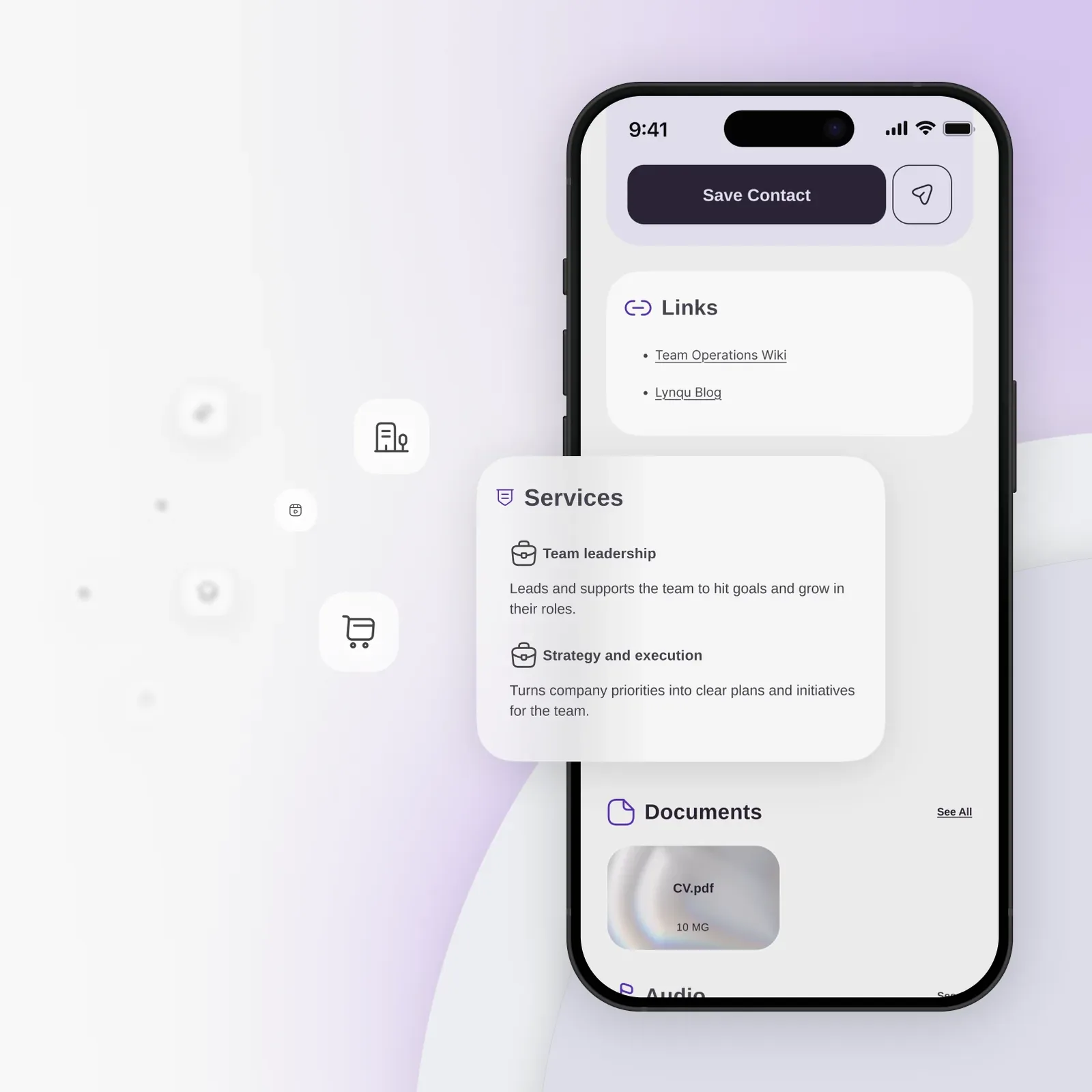
The rise of remote work and global business relationships has made this even more critical. When you cannot meet someone in person, your digital presence is your first impression. A well-crafted bio page signals professionalism, intentionality, and attention to detail. It tells people that you take your career seriously enough to invest in how you present yourself. Platforms like Lynqu make creating these professional bio pages straightforward, even for people without any web design experience.
Personal bio pages also solve the fragmentation problem. Your professional identity is scattered across a dozen platforms — LinkedIn, Twitter, GitHub, Dribbble, your company website, speaking engagement listings, podcast appearances. A bio page acts as the central hub that ties everything together, giving visitors a single place to understand who you are and what you do.
SEO Benefits of Owning Your Personal Brand Page
When someone Googles your name, you want to control what appears on that first page of results. A personal bio page is one of the most effective tools for managing your search presence because it gives search engines exactly what they need to understand and rank your professional identity.
Control Your Google Results
Search engines prioritize pages that are clearly about a specific topic and provide comprehensive, authoritative information. A dedicated bio page — especially one hosted on a reputable domain — sends strong relevance signals for your name as a search query. Over time, this page can outrank random mentions, outdated profiles, and unflattering results that you have no control over.
Schema.org Person Markup
Structured data using Schema.org Person markup helps search engines understand that your page is about a real professional. This markup can include your name, job title, employer, education, social profiles, and more. When implemented correctly, it can trigger rich results in Google — knowledge panels, enhanced snippets, and social profile links that make your search result stand out. Platforms like Lynqu handle this structured data automatically, so you get the SEO benefits without needing to write a single line of code.
NAP Consistency
NAP stands for Name, Address, and Phone number — three data points that search engines use to verify identity and build trust. When your NAP information is consistent across your bio page, social profiles, and business listings, search engines gain confidence that you are a real, established professional. Inconsistencies — different phone numbers on different profiles, name variations, outdated addresses — erode that trust and can hurt your search rankings.
Freshness Signals
Search engines reward pages that are regularly updated. Every time you add a new achievement, update your role, or refresh your bio copy, you send a freshness signal that tells Google your page is actively maintained and current. This is a significant advantage over static LinkedIn profiles that many professionals set and forget.
Practical SEO Actions
- Use your full professional name in the page title and heading — this is the most important on-page SEO factor for personal branding
- Write a meta description that includes your name, title, and primary expertise — this is what appears in search results
- Link to your bio page from every social profile, email signature, and professional listing to build backlink authority
- Include location information if you serve a local market — this helps with geo-targeted searches
- Add alt text to your headshot that includes your name and title for image search visibility
- Update your page quarterly at minimum to maintain freshness signals
Bio Page vs LinkedIn: A Detailed Comparison
LinkedIn is a powerful professional network, and this is not about abandoning it. It is about understanding its limitations and supplementing it with something you fully control. Here is how a personal bio page compares across the dimensions that matter most.
Design Control
LinkedIn gives every user the same template — a banner image, a circular headshot, and a text-heavy layout that looks identical to the other 900 million profiles on the platform. A personal bio page lets you choose colors, typography, layout, imagery, and overall aesthetic. You can match your industry expectations, express your personality, and create visual distinctiveness that makes people remember you. With tools like Lynqu, you get professionally designed templates that you can customize to reflect your personal brand without starting from scratch.
Content Flexibility
LinkedIn restricts you to predefined sections: headline, about, experience, education, skills, recommendations. A bio page can include anything — embedded videos, portfolio galleries, downloadable resources, scheduling widgets, pricing information, client logos, or interactive elements. You decide what story to tell and in what order.
Analytics Ownership
LinkedIn provides basic profile view counts and limited demographic data, but it keeps the deep analytics for itself. With your own bio page, you own the complete picture: which sections visitors spend time on, where traffic comes from, what links get clicked, and how visitors behave over time. This data is yours to analyze and act on.
Link Placement
LinkedIn famously restricts external links to protect its walled garden. Your bio page has no such limitations. Every section can link to whatever is most relevant — your booking page, your latest project, your podcast, your portfolio, your company site. You are directing traffic where it creates the most value for you.
Algorithm Independence
LinkedIn content visibility is subject to an algorithm you do not control and cannot predict. Posts that took hours to write might reach 2% of your network. Your bio page bypasses this entirely — when someone visits your page, they see exactly what you put there, in exactly the order you arranged it.
Platform Risk
Building your entire professional identity on LinkedIn means accepting platform risk. Policy changes, account restrictions, algorithm shifts, or even the company's strategic pivots can affect how your profile performs overnight. Your bio page is insulated from these risks because you control the platform.
What to Include on Your Bio Page
The most effective bio pages share a common structure while leaving room for personalization. Here are the essential elements every professional bio page should include.
Professional Headshot
This is non-negotiable. Research consistently shows that pages with professional photos receive 21 times more profile views than those without. Your headshot should be recent, high-quality, well-lit, and appropriate for your industry. A tech startup founder might use a casual but polished shot; a corporate attorney needs something more formal. The key is authenticity combined with professionalism.
Compelling Headline
Your headline is the first text most visitors will read, so it needs to communicate your value proposition in under ten words. Skip generic titles like Marketing Professional in favor of specific, benefit-oriented statements. Helping SaaS Companies Double Their Trial-to-Paid Conversion tells visitors exactly what you do and who you serve. It is specific, it implies expertise, and it speaks directly to the people you want to attract.
Bio Summary
Your bio summary should be 150 to 250 words and accomplish three things: establish credibility, communicate your focus, and give visitors a sense of who you are as a person. Open with what you do and who you help. Follow with proof points — years of experience, notable achievements, recognizable clients or employers. Close with something personal that makes you memorable and approachable.
Contact Information
Make it effortless for visitors to reach you. Include your professional email, phone number if appropriate, and location. The easier you make it to initiate contact, the more connections you will generate. Lynqu bio pages include built-in contact saving that lets visitors add your details to their phone with a single tap.
Social Links
Curate your social presence by linking only to profiles that reinforce your professional brand. For most professionals, this means LinkedIn, Twitter or X, and one or two industry-specific platforms. Quality over quantity — five active, well-maintained profiles are better than twelve abandoned ones.
Portfolio or Work Samples
Whenever possible, show rather than tell. Link to case studies, published articles, speaking videos, project galleries, or any other tangible evidence of your expertise. This transforms your bio from a resume into a proof point.
Testimonials
Social proof from colleagues, clients, or industry peers adds credibility that self-promotion alone cannot achieve. Even two or three strong quotes can significantly increase trust and engagement with your page.
Call to Action
Every bio page needs a clear next step for visitors. What do you want them to do after reading your page? Book a call? Send an email? Download a resource? Follow you on social media? Make this action prominent and specific.
Industry-Specific Bio Page Examples
Different industries demand different approaches to professional bio pages. Here is how five common professional roles can optimize their pages for maximum impact.
Real Estate Agent
Real estate is a relationship-driven business where trust and local expertise are paramount. A real estate agent's bio page should prominently feature their license number and brokerage affiliation for regulatory compliance and credibility. Include a section dedicated to current and recent property listings with photos and links to full listing pages. Feature client testimonials that speak to your responsiveness, market knowledge, and negotiation skills — these are the qualities that home buyers and sellers care about most.
Add neighborhood guides or market reports to demonstrate local expertise. Include your transaction volume or years in the market. A real estate bio page should feel like a local authority resource, not just a business card. Link to your Lynqu bio page from every yard sign QR code and open house flyer.
Management Consultant
Consultants sell expertise and judgment, so their bio pages must establish thought leadership above all else. Feature links to published articles, white papers, podcast appearances, and conference presentations. Include anonymized case studies that demonstrate your methodology and results — for example, Helped a 500-person manufacturing company implement OKR frameworks that improved goal attainment by 34% over two quarters.
List your areas of specialization, industry verticals, and any relevant certifications or frameworks you are trained in. Management consulting bio pages benefit from a slightly longer, more detailed bio that showcases analytical depth and strategic thinking. Your CTA should be a consultation booking link.
Sales Representative
In sales, personal connection is everything. A sales rep's bio page should lead with a video introduction — according to Vidyard research, personalized video messages increase response rates by 26% compared to text-only outreach. A 60-second video where you introduce yourself, explain what you help customers achieve, and invite them to connect can dramatically outperform a text bio.
Include a prominent demo booking widget or calendar link. Feature logos of companies you have worked with, if permitted. Add a section about your approach to customer relationships that differentiates you from other reps selling similar products. Sales bio pages should feel warm, approachable, and action-oriented.
Creative Professional
For designers, photographers, writers, and other creatives, the bio page should be portfolio-led. Your work speaks louder than your words, so feature high-quality samples prominently. Link directly to your Instagram, Behance, Dribbble, or other visual portfolio platforms where visitors can explore your full body of work.
Keep your bio text concise and let the visuals do the heavy lifting. Include information about your creative process, preferred mediums or tools, and availability for commissions or collaborations. Creative bio pages should themselves be beautifully designed — your page is itself a portfolio piece that demonstrates your aesthetic sensibility.
Software Engineer
Technical professionals should showcase their skills through evidence, not just lists. Link to your GitHub profile and highlight specific repositories or open-source contributions that demonstrate your capabilities. List your tech stack with honest proficiency levels. Include links to conference talks, technical blog posts, or documentation you have written.
For software engineers, the bio page complements your GitHub and LinkedIn profiles by providing context that code repositories alone cannot convey — your communication style, your interests outside of code, your career trajectory, and what kind of projects you are looking for. Include a section about technologies you are currently learning or excited about to signal intellectual curiosity.
Tips for Writing a Compelling Bio
The text on your bio page deserves as much attention as the design. Here is how to write a bio that people actually read and remember.
First Person vs Third Person
For personal bio pages, first person is almost always the better choice. It feels more authentic, approachable, and conversational. Third person (Jane is a marketing strategist who...) creates unnecessary distance and can feel pretentious on a personal page. Reserve third person for formal contexts like conference speaker bios or press kits where convention demands it.
Optimal Length
Research from the Nielsen Norman Group shows that users typically read only 20 to 28 percent of text on a web page. This means your bio needs to be concise enough that the key points survive even a quick scan. Aim for 150 to 250 words for your main bio paragraph. Use formatting — bold text, bullet points, short paragraphs — to make scanning easy and ensure your most important points are visually prominent.
Tone Matching
Your bio's tone should match both your industry and your personality. A fintech executive and a yoga instructor require very different writing voices. Read bios of respected peers in your field to calibrate the expected tone, then add your personal inflection. The goal is to sound like yourself on a good day — professional but human.
The Five-Part Structure
The most effective professional bios follow a proven structure that you can adapt to any role:
- Opening hook — A specific, attention-getting statement about what you do and for whom
- Credibility markers — Years of experience, notable employers, key achievements with numbers
- Specialization — Your specific focus areas and what differentiates you from others in your field
- Values or approach — How you work and what you believe about your profession
- Personal touch — One or two sentences about your life outside work that make you relatable
This structure works because it moves from relevance to credibility to differentiation to connection, matching the natural decision-making process of someone evaluating whether to engage with you.
Analytics and Tracking Your Bio Page Performance
One of the most significant advantages of a personal bio page over a LinkedIn profile is the depth of analytics you can access. Understanding how visitors interact with your page helps you optimize it over time.
Key Metrics to Track
- Page views — Total visits and unique visitors give you a baseline measure of your page's reach
- Link clicks — Which links get the most engagement reveals what visitors find most interesting about you
- Contact saves — How many visitors save your contact information indicates conversion effectiveness
- Geographic data — Where your visitors are located helps you understand your reach and tailor content
- Time patterns — When people visit your page can inform when to share your link and update your content
Benchmarks
For most professionals, a well-promoted bio page should generate 50 to 200 views per month. If you are actively networking, speaking at events, or including your bio link in email signatures and social profiles, you should be toward the higher end of that range. Views below 50 per month suggest your page is not being distributed effectively — the issue is promotion, not content.
Lynqu provides built-in analytics dashboards that track all of these metrics without requiring any external tools or technical setup. You can see exactly who is engaging with your page and how they found you.
Acting on Analytics
Analytics are only valuable if you act on them. Review your page metrics monthly and look for patterns. If your portfolio section gets the most clicks, consider making it more prominent. If visitors from a particular city are growing, add content relevant to that market. If most traffic comes from LinkedIn, optimize the link you share there. Continuous, data-informed refinement is what separates great bio pages from good ones.
Mobile Optimization: Designing for How People Actually Browse
The data is clear: over 70% of bio page visits come from mobile devices. People receive your link via text message, scan your QR code at an event, or tap a link in your email signature — all on their phones. If your bio page is not optimized for mobile, you are delivering a poor experience to the majority of your visitors.
Critical Mobile Design Principles
- Tap target size — All buttons and links should be at least 44 pixels in height and width. Smaller targets cause frustration and missed taps on touchscreens
- Load speed — Mobile visitors expect pages to load in under 3 seconds. Beyond that threshold, abandonment rates climb steeply. Optimize images, minimize external scripts, and use efficient hosting
- Text size — Body text should be at least 16 pixels on mobile. Anything smaller forces pinch-to-zoom, which is a poor user experience signal
- Click-to-call — Phone numbers should be tappable links that open the phone dialer. This seems obvious, but a surprising number of bio pages display phone numbers as plain text
- Single-column layout — Multi-column layouts that work beautifully on desktop become cramped and confusing on mobile. Design mobile-first with a single-column flow that stacks content vertically
Professional bio page platforms like Lynqu are built mobile-first, meaning every template is automatically optimized for phone screens without requiring any manual adjustments. This is a significant advantage over building a custom website where mobile responsiveness is your own responsibility.
Testing Your Mobile Experience
Always test your bio page on an actual phone, not just a browser's device simulation mode. Check that text is readable without zooming, buttons are easy to tap, images load quickly, and the overall flow feels natural when scrolled with a thumb. Ask a colleague to visit your page on their phone and give you honest feedback about the experience.
QR Code and NFC: Bridging Physical and Digital
Your bio page reaches its full potential when it is seamlessly connected to your physical-world interactions. QR codes and NFC technology are the bridges that make this possible.
QR Code Integration
A QR code linked to your bio page belongs on every piece of physical collateral you use: business cards, presentation slides, conference badges, brochures, product packaging, event banners, and even your email signature. The key technical consideration is minimum print size — QR codes should be at least 2 centimeters (roughly 0.8 inches) square to ensure reliable scanning across all phone cameras, including older models.
Place QR codes where they are contextually relevant. On a business card, it replaces the need for someone to manually type your URL. On a presentation slide, it gives audience members instant access to your full background. On a conference poster, it converts foot traffic into digital connections.
NFC Technology
NFC (Near Field Communication) is now supported on all modern smartphones, making tap-to-share a viable way to exchange professional information. NFC-enabled business cards and accessories let you share your bio page with a simple tap — no app download required. The recipient's phone opens your bio page in their default browser, creating an instant digital connection from a physical interaction.
Practical Use Cases
- Networking events — Share your bio page via NFC tap or QR scan instead of fumbling with paper cards
- Client meetings — Include a QR code on your leave-behind materials that links to your full bio and portfolio
- Trade shows — Add a QR code to your booth display so visitors can save your information as they walk by
- Speaking engagements — Put your QR code on your opening or closing slide so attendees can connect instantly
- Retail or service locations — Display an NFC tag or QR code at your desk, counter, or office door
Lynqu provides both QR codes and NFC support built into every bio page, so you can bridge the physical-digital gap without any additional tools or services.
Make Your Bio Page Memorable
A functional bio page is good. A memorable one is transformative. Here is how to elevate your page from informative to unforgettable.
Add a Video Introduction
A short video — 30 to 90 seconds — where you introduce yourself adds a dimension that text and photos simply cannot replicate. Visitors hear your voice, see your expressions, and get a sense of your personality before they ever meet you. This is especially powerful in relationship-driven industries like sales, consulting, and real estate where personal rapport drives decisions.
Choose a Distinctive Color Palette
Color is one of the fastest ways to create visual memory. Choose two or three colors that feel authentically you and use them consistently across your bio page and other professional materials. Avoid the safe but forgettable navy-and-white palette that dominates corporate profiles. A distinctive color choice — deep teal, burnt orange, sage green — creates instant visual recognition.
Craft a Personal Tagline
Beyond your professional headline, consider a personal tagline that captures your philosophy or approach. Something like Making complex technology feel simple or Building relationships before building deals. A great tagline is specific enough to be meaningful but broad enough to age well as your career evolves.
Include an Unexpected Detail
The most memorable bios include something surprising — a unique hobby, an unconventional career path, an interesting fact. When I am not analyzing market trends, I am restoring vintage motorcycles in my garage gives people a conversation starter and makes you a three-dimensional human rather than a professional archetype. These details are not unprofessional; they are what people actually remember about you.
Update Regularly
A bio page that has not been updated in a year signals neglect. Set a calendar reminder to review and refresh your page at least quarterly. Add new achievements, update your headshot annually, refresh your bio copy, and rotate your portfolio samples. Regular updates keep your page feeling current and give returning visitors something new to discover.
Your professional story deserves to be told well. A personal bio page built on a platform like Lynqu gives you the tools, templates, and technology to create a digital presence that truly represents who you are and what you bring to the table. In a world where first impressions increasingly happen online, investing in your bio page is investing in every professional relationship you will build from this point forward.